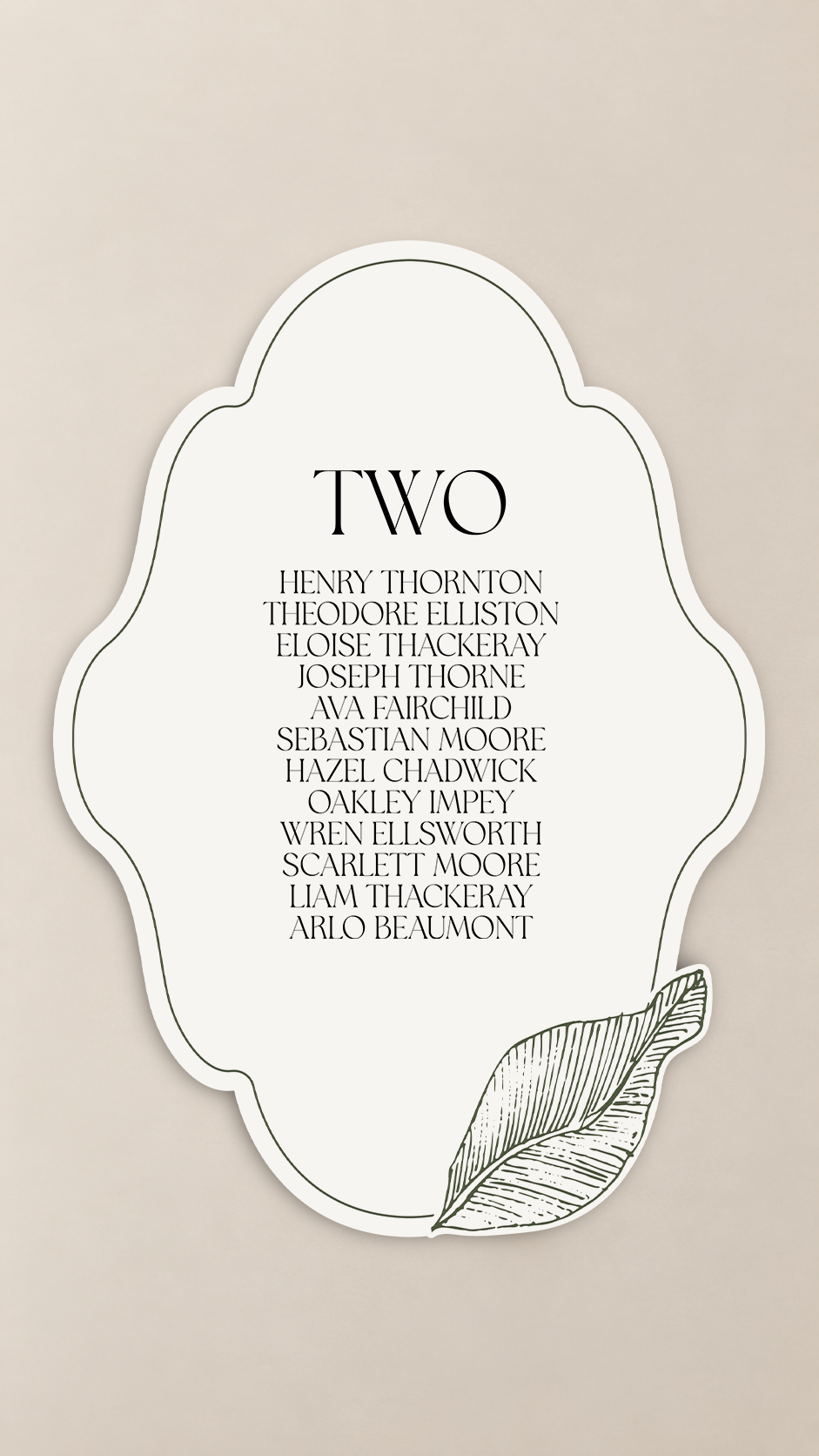
3-Piece Botanical Wedding Seating Plan Sign PNG Templates | Print-and-Cut Table Assignment Sign Set - Arabella Collection
3-Piece Botanical Wedding Seating Plan Sign PNG Templates | Print-and-Cut Table Assignment Sign Set - Arabella Collection
OVERVIEW
Create a beautifully coordinated way to guide guests to their tables with this 3-piece wedding seating plan signage Print-and-Cut PNG template set, designed for cutting machines like Cricut.
The set includes three coordinating shaped sign designs, each with its own botanical detail—from delicate floral illustrations to a hand-drawn leaf accent. Use one design for each table or mix all three throughout your seating display for a collected, custom-stationery look.
Each template offers plenty of open space for your own table number and guest names, making it easy to build a seating plan that suits the size and style of your celebration.
The artwork is pre-designed, but text is intentionally not included, giving you complete freedom to choose your own fonts, table numbering style, guest-name layout, and wording to coordinate with the rest of your wedding stationery.
Why You'll Love It
- Includes 3 coordinating seating plan sign designs
- Made for Print-and-Cut projects with Cricut and similar cutting machines
- Unique shaped silhouettes make the signs feel more custom than standard rectangular cards
- Three different botanical treatments add variety while keeping the full display cohesive
- Generous open space for table numbers and guest lists
- Pre-designed artwork saves time without locking you into predetermined typography
- Choose your own fonts, wording, text sizes, and guest-name arrangement
- Each design can be resized independently
- Easy to repeat across as many reception tables as you need
- Beautiful for creating a larger DIY seating-chart installation from individual table cards
Perfect For
- Wedding seating plans
- Table assignment displays
- Find-your-seat signage
- Individual guest-list cards by table
- Escort-card display alternatives
- Botanical and garden weddings
- Romantic, organic, modern, or nature-inspired celebrations
- DIY wedding signage
- Brides creating coordinated ceremony and reception stationery
- Cricut and other cutting-machine projects
WHAT'S INCLUDED
3 coordinating wedding seating plan Print-and-Cut PNG templates
- Design 1: Botanical floral-accented shaped sign
- Design 2: Botanical leaf-accented shaped sign
-
Design 3: Floral line-art shaped sign
Please note:
- Text template is not included
- Table numbers, guest names, fonts, wording, and editable text are not supplied
- Add your own typography and guest information using your preferred design software
- Each design can be resized as desired
Permission is granted to use the template for personal or commercial projects of up to 500 units. This applies to a finished end product. It does not include permission to sell, share, publish, or redistribute the digital template itself.
HOW TO MAKE IT
- Suggested Size -
- Design 1: 6.466" × 10"
- Design 2: 7.136" × 10"
- Design 3: 6.965" × 10"
These are suggested sizes only. You can resize each template as you please depending on the number of guests per table, your display layout, and the overall scale of your seating plan.
- How to Make It -
Add your table number and guest names to each design using your preferred design software. Once your layout is complete, import the finished artwork into your cutting-machine software and prepare it for Print-and-Cut.
Print and cut one sign for each reception table. You can alternate between the three coordinating designs or repeat your favorite style throughout the entire seating plan.
For larger weddings, arrange the finished cards together on a board, wall, shelving unit, easels, or individual holders so guests can quickly locate their table.
- Cardstock Suggestions -
For a clean, polished seating-plan display, try:
- Heavyweight smooth matte cardstock
- Eggshell or lightly textured cardstock
- White, ivory, cream, or warm neutral cardstock
- Heavy cover stock for signs displayed individually
- Coordinating colored cardstock for added contrast
If mounting the signs onto a larger display, a medium-to-heavy cardstock is usually sufficient. For individual standing signs, choose a sturdier stock or mount the finished pieces onto additional backing.
- Easy Personalization with Canva -
Want to add your initials, wedding date, monogram, or text? Create your text or graphic in Canva, remove the background, download it as a transparent PNG, and upload it into your cutting-machine software. Position it over the artwork before creating your final Print & Cut file.
- Styling Ideas -
Create a gallery-style seating plan by arranging multiple shaped signs together, using a mixture of all three designs for visual interest while keeping the typography consistent.
Display them on a linen-covered board, pegboard, mirror installation, freestanding wall, decorative shelving, or individual brass holders. Pair the finished signs with fresh greenery, flowers, ribbon, candles, or small bud vases to connect the seating display with the rest of your reception décor.
For the most cohesive result, use the same fonts, paper tones, and botanical styling across your invitations, menus, table numbers, programs, favor tags, and wedding signage.
HOW TO DOWNLOAD
2 Ways to Download
After completing checkout, select the download link on your order confirmation page. You will also receive an email containing a link to access your files. Please enter a valid email address at checkout and check your spam or junk folder if the email does not appear in your inbox.
LICENSE & RESALE PROHIBITION
Template License and Strict Resale Prohibition
All templates downloaded from mmakerr.com remain the intellectual property of Mmakerr and are provided to the original downloader under a limited, non-exclusive, non-transferable license.
Mmakerr templates may not be sold, resold, redistributed, sublicensed, shared, gifted, uploaded, published, transferred, or otherwise made available to another person or business—whether for free or for payment.
This prohibition applies to the original template and to any edited, customized, converted, or derivative version. Changing the colors, wording, fonts, layout, dimensions, file format, or other design elements does not create a new template or transfer ownership of the design.
You may not:
- List or distribute the template through Freepik, Etsy, Cricut Design Space, Creative Market, another template marketplace, or any similar platform.
- Sell or share the template through your own website, online store, membership, social-media account, group, cloud folder, file-sharing service, or other distribution channel.
- Offer the template as an editable design, digital download, SVG, PNG, PDF, DXF, clipart file, design asset, bundle, or source file.
- Allow customers, clients, followers, subscribers, or other third parties to access, download, extract, edit, or reuse the template or its individual design elements.
- Claim the template or any modified version as your own work.
Any permission to use a template for personal or commercial projects applies only to the permitted finished end product. It never includes permission to sell, share, publish, or redistribute the digital template itself.
Templates may be imported into software such as Cricut Design Space only for your own authorized use. They may not be published, shared, listed, or made accessible to other users through the platform.
By downloading, accessing, or using a Mmakerr template, you agree to these restrictions. Unauthorized use may result in termination of your license, suspension of your Mmakerr account, removal or takedown requests, and the pursuit of any rights and remedies available under applicable law.
© Mmakerr. All rights reserved.
Couldn't load pickup availability