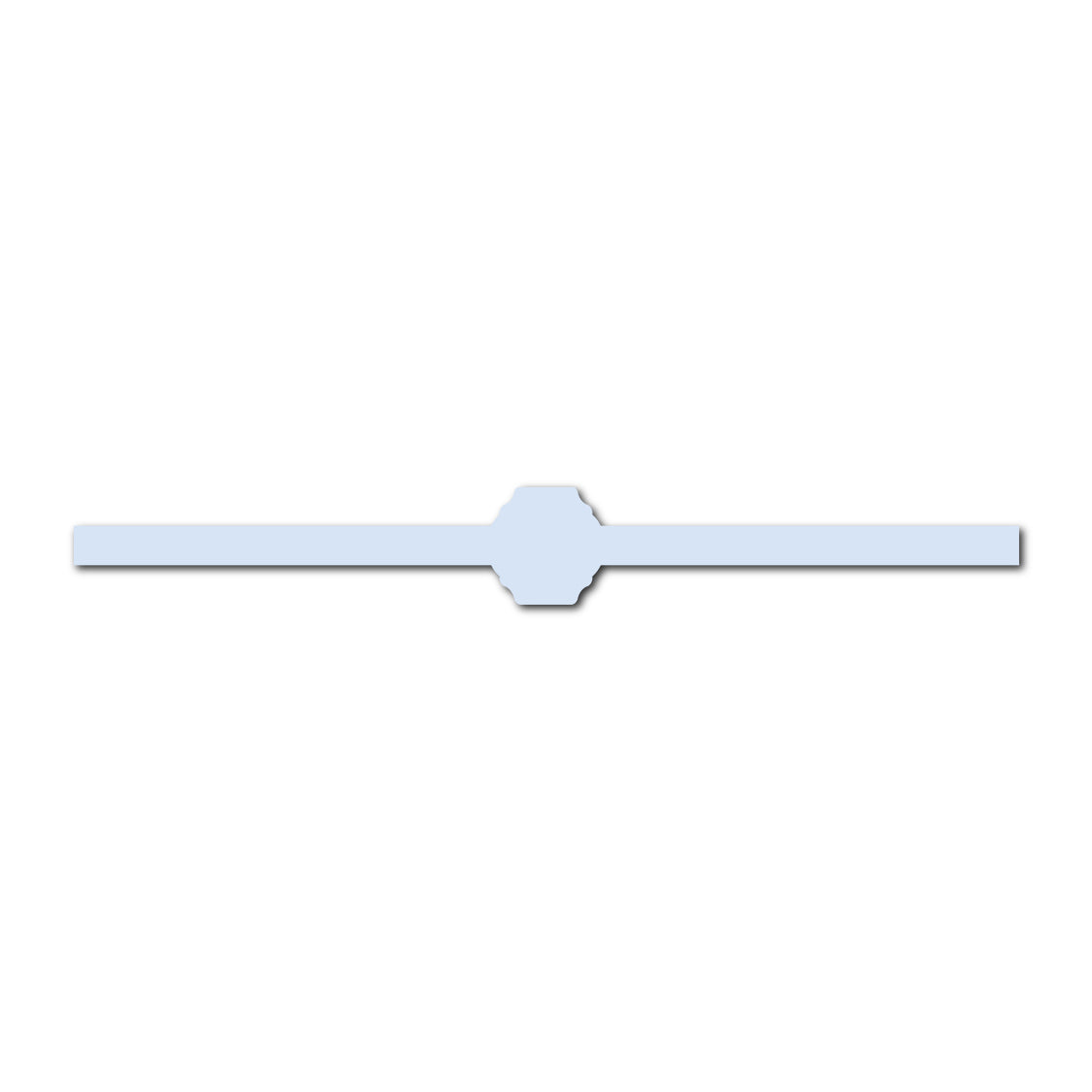
Portrait Wedding Invitation Belly Band SVG Template | Skinny - Shape 13
Portrait Wedding Invitation Belly Band SVG Template | Skinny - Shape 13
OVERVIEW
Add a delicate finishing detail to your invitation suite with this Skinny Portrait Wedding Invitation Belly Band SVG Template. Designed for standard 5 x 7 inch portrait invitations, this slim paper wrap features a decorative center buckle shape that gives your stationery a polished, custom look without covering too much of the invitation design.
The straight band portion measures approximately 0.5 inch wide, making it a lighter, more minimal alternative to a traditional wide belly band. Use it to neatly hold invitation cards, vellum overlays, details cards, and layered stationery together while adding a subtle decorative accent.
Created as an SVG cut file for Cricut and other compatible cutting machines, the template can also be resized to suit different invitation dimensions.
Text is intentionally not included, giving you complete freedom to add your own names, monogram, wedding date, wording, or decorative details.
WHY YOU'LL LOVE IT
- Designed for standard 5 x 7 inch portrait wedding invitations
- Slim 0.5-inch band width creates a refined, minimal look
- Decorative center buckle adds interest without overwhelming the stationery
- Perfect for holding layered invitation suites neatly together
- Easy to cut with Cricut and other SVG-compatible cutting machines
- Fully resizable to work with other invitation sizes
- Use your own cardstock colors to match your wedding palette
- Customize the center with your own monogram, names, date, or artwork
- A beautiful alternative to ribbon, twine, or wider paper wraps
PERFECT FOR
- Wedding invitation belly bands
- 5 x 7 portrait invitation suites
- Vellum-wrapped invitations
- Layered wedding invitations
- Save-the-date suites
- RSVP and details card bundles
- Minimalist wedding stationery
- Modern, classic, romantic, or formal weddings
- DIY and semi-DIY wedding invitations
- Coordinating menus, programs, and stationery bundles
WHAT'S INCLUDED
Your download includes:
Skinny Portrait Wedding Invitation Belly Band SVG template
- Decorative center buckle incorporated into the band
- Default sizing designed for a 5 x 7 inch portrait invitation
- Straight band portion approximately 0.5 inch wide
- Fully resizable SVG cut file
Please Note:
- Text template is not included
- Fonts, names, monograms, wedding dates, wording, and other personalization are added by the maker
- Digital template only; no physical cardstock or finished belly band is included
Permission is granted to use the template for personal or commercial projects of up to 500 units. This applies to a finished end product. It does not include permission to sell, share, publish, or redistribute the digital template itself.
HOW TO MAKE IT
- Sizing -
The template is designed to wrap around a standard 5 x 7 inch portrait invitation.
The straight portion of the band is approximately 0.5 inch thick, excluding the slightly larger decorative center buckle.
The SVG can be resized proportionally if you are creating stationery in a different size.
- How to Make It -
Upload the SVG into Cricut Design Space or your preferred SVG-compatible cutting software.
If desired, personalize the center buckle with:
- Couple's initials
- Names
- Wedding date
- Monogram
- Small floral artwork
- Venue illustration
- Short phrase or message
Cut the belly band from your chosen cardstock. Assemble your invitation cards first, then wrap the band around the complete stationery stack so you can determine the best fit.
Gently crease the band along the sides of the invitation and secure the overlapping ends at the back with strong double-sided tape or paper adhesive.
- Easy Personalization with Canva -
Want to add your initials, wedding date, monogram, or text? Create your text or graphic in Canva, remove the background, download it as a transparent PNG, and upload it into your cutting-machine software. Position it over the artwork before creating your final Print & Cut file.
- Cardstock Suggestions -
For a slim belly band, choose cardstock that is sturdy enough to hold its shape but flexible enough to wrap cleanly.
Good options include:
- 65–80 lb cardstock for easy wrapping and folding
- 80–100 lb cardstock for a more structured finish
- Smooth colored cardstock
- Textured or cotton cardstock
- Metallic or pearlescent cardstock
- Specialty cardstock in a contrasting wedding color
Very thick cardstock may be harder to wrap neatly, especially with the narrow 0.5-inch band.
- Styling Ideas -
Use the skinny belly band as a subtle color or texture accent within your invitation suite.
Try pairing:
- Ivory invitations with a soft taupe or champagne band
- White stationery with deep navy, burgundy, forest green, or black
- Neutral invitations with a bold wedding-color belly band
- Vellum overlays with a coordinating skinny band to keep everything neatly together
- Metallic cardstock with minimalist stationery for an elevated look
- A printed monogram or wedding date in the center buckle
- A small floral illustration, crest, or venue sketch on the center detail
For a cohesive suite, repeat the same cardstock color or decorative center shape throughout your menus, place cards, programs, tags, or wedding-day stationery.
HOW-TO-DOWNLOAD
2 Ways to Download
After completing checkout, select the download link on your order confirmation page. You will also receive an email containing a link to access your files. Please enter a valid email address at checkout and check your spam or junk folder if the email does not appear in your inbox.
LICENSE & RESALE PROHIBITION
Template License and Strict Resale Prohibition
All templates downloaded from mmakerr.com remain the intellectual property of Mmakerr and are provided to the original downloader under a limited, non-exclusive, non-transferable license.
Mmakerr templates may not be sold, resold, redistributed, sublicensed, shared, gifted, uploaded, published, transferred, or otherwise made available to another person or business—whether for free or for payment.
This prohibition applies to the original template and to any edited, customized, converted, or derivative version. Changing the colors, wording, fonts, layout, dimensions, file format, or other design elements does not create a new template or transfer ownership of the design.
You may not:
- List or distribute the template through Freepik, Etsy, Cricut Design Space, Creative Market, another template marketplace, or any similar platform.
- Sell or share the template through your own website, online store, membership, social-media account, group, cloud folder, file-sharing service, or other distribution channel.
- Offer the template as an editable design, digital download, SVG, PNG, PDF, DXF, clipart file, design asset, bundle, or source file.
- Allow customers, clients, followers, subscribers, or other third parties to access, download, extract, edit, or reuse the template or its individual design elements.
- Claim the template or any modified version as your own work.
Any permission to use a template for personal or commercial projects applies only to the permitted finished end product. It never includes permission to sell, share, publish, or redistribute the digital template itself.
Templates may be imported into software such as Cricut Design Space only for your own authorized use. They may not be published, shared, listed, or made accessible to other users through the platform.
By downloading, accessing, or using a Mmakerr template, you agree to these restrictions. Unauthorized use may result in termination of your license, suspension of your Mmakerr account, removal or takedown requests, and the pursuit of any rights and remedies available under applicable law.
© Mmakerr. All rights reserved.
Couldn't load pickup availability